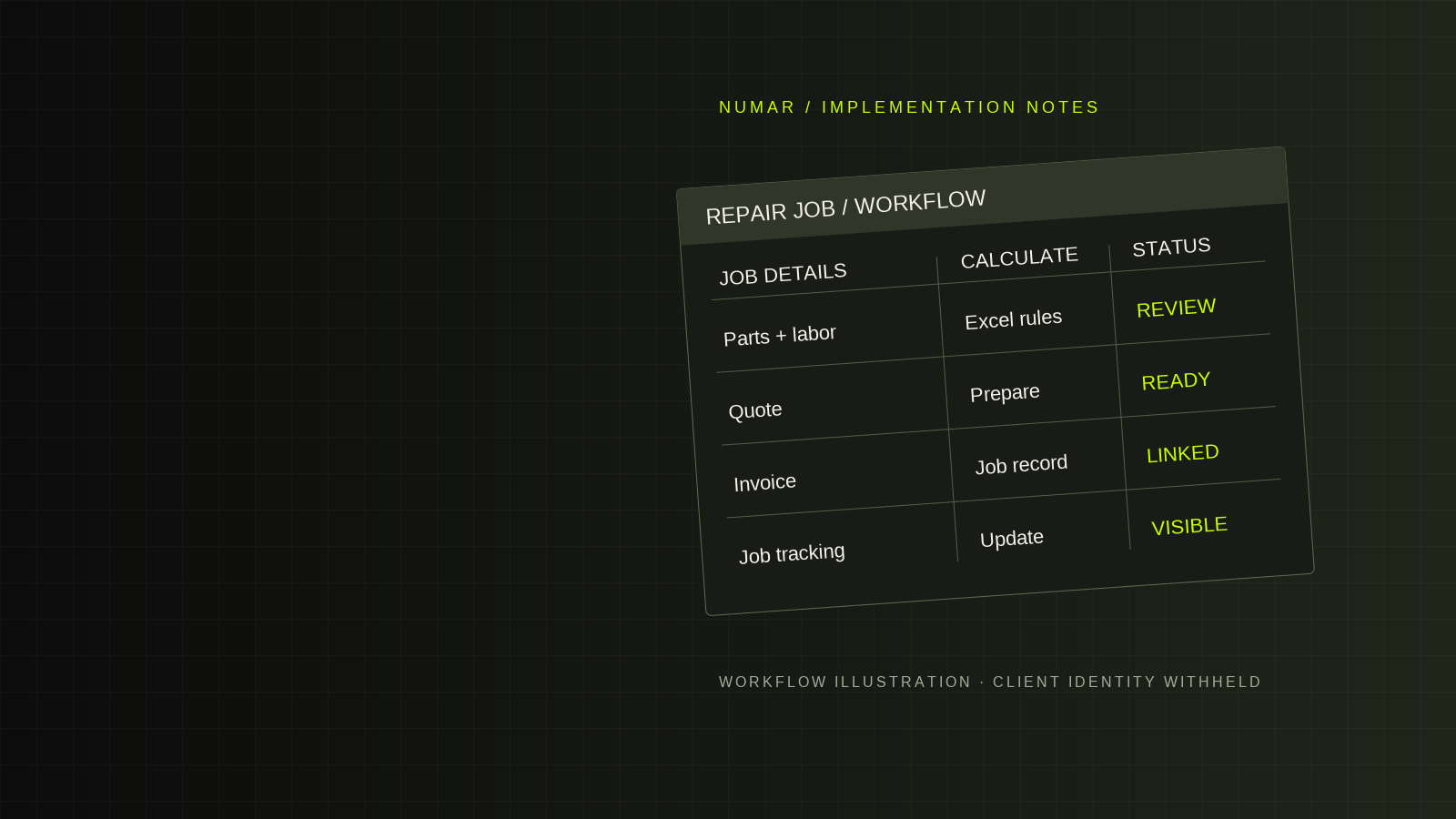
An independent Utah mechanic was managing the business in Excel and calculating by hand. Numar automated calculations, quotes, invoices, and job tracking.
Numar helped a solo auto mechanic in Utah automate Excel calculations, quotes, invoices, and job tracking. The starting point was a business managed manually in spreadsheets, with the owner doing the calculations himself. This is an anonymous account of a real Numar project; the client’s name is withheld.
WHAT TO REMEMBER
- For a one-person repair business, office work competes directly with time available for repairs.
- The implementation covered calculations, quotes, invoices, and job tracking—not just an AI chatbot.
- Use agreed formulas for business calculations; reserve AI for work that benefits from interpreting text or preparing drafts.
One owner, the repair work, and the spreadsheet
A solo mechanic has to move between two jobs: fixing vehicles and running the business around them. For this Utah owner, the second job lived in Excel. He managed the records and did the calculations manually. Each new job added another piece of administration that depended on his attention.
Excel was already part of the business. The useful starting point was the work happening inside and around it: calculations, preparing quotes, creating invoices, and keeping track of jobs. Buying an AI tool without addressing those steps would have left the owner doing much of the same work.
Numar’s implementation addressed all four areas. The project shows why business automation can be valuable even when a company has one person and no large office team.
What Numar implemented for the repair business
The confirmed scope included automated Excel calculations, quote and invoice workflows, and job tracking. These are connected parts of running a repair business: the details used to price a job also matter when the owner bills for it and checks its progress.
The table below summarizes the work covered. It does not assume a particular accounting package or repair-management platform; those details are not being disclosed for this client.
| Area | Before the project | Numar implementation |
|---|---|---|
| Calculations | Owner performed calculations manually. | Automated Excel calculations. |
| Quotes | Quote preparation depended on the owner’s manual admin. | Automated quote workflow. |
| Invoices | Invoicing was part of the manually managed business. | Automated invoice workflow. |
| Job tracking | Owner maintained the business records in Excel. | Job-tracking automation. |
Where AI helps—and where a formula is the better tool
An owner searching for AI for an auto repair shop may expect an assistant that talks to customers. There is another place to start: the repeated work that follows each job. Some of it needs ordinary automation rather than an AI model.
For a similar implementation, labor totals and parts calculations should follow rules the owner can inspect. A language model should not guess a labor rate, invent a tax treatment, or decide what a customer authorized. AI may help turn a written job note into a structured draft, but the underlying amounts need a dependable calculation method.
That distinction matters when comparing proposals. Ask what will be calculated, what will be copied between records, what AI will interpret, and what still needs approval. An answer that names those steps is more useful than a promise to put AI across the whole business.
A practical example to use when planning your own setup
Consider a repair job with a parts list and an agreed amount of labor. In a similar workflow, the owner enters or reviews the job details, the workbook calculates the estimate using approved rules, and the quote is prepared from that record. Once the work is authorized and completed, the invoice should use the approved job information.
This is an example of how to evaluate a connected workflow, not a disclosure of this client’s exact configuration. The checks are straightforward: what happens if a part changes, a customer approves only some of the work, or a job is cancelled? Those exceptions matter more than how impressive the first demonstration looks.
What this project means for another owner working alone
The change in this project was the move from manually managing these steps to an automated workflow covering the owner’s calculations and job administration. We are not attaching a made-up hours-saved figure or revenue increase to the story.
For your business, measure the time spent preparing quotes, correcting calculations, producing invoices, and updating job records before implementation. Then compare the same tasks after launch. Include the time needed to review exceptions. That gives you a useful basis for deciding whether the work has paid off.
Do I need to replace Excel to automate my auto repair business?
Not necessarily. Start by reviewing the workbook and the information it needs to receive or produce. Some businesses can improve the existing spreadsheet; others need a dedicated job or accounting system. The decision should follow the workflow, the number of people using it, and the quality of the records.
Can a one-person mechanic business justify automation?
Yes, when a recurring task takes enough time or causes enough rework to justify the setup and running costs. Start with the task you repeat most often. Compare its current cost with a scoped implementation quote rather than assuming a small business needs a large AI system.
STILL DOING THE SHOP’S CALCULATIONS BY HAND?
Tell Silva how you currently prepare quotes, invoices, and job records. In a free consultation, we can discuss which repeated step is worth automating first and what a scoped project would need.
Discuss your repair shop workflow